Group Settings
Groups organize connections, mappings, and schedules. Open group settings from Preferences or the group maintenance button on a configuration form.
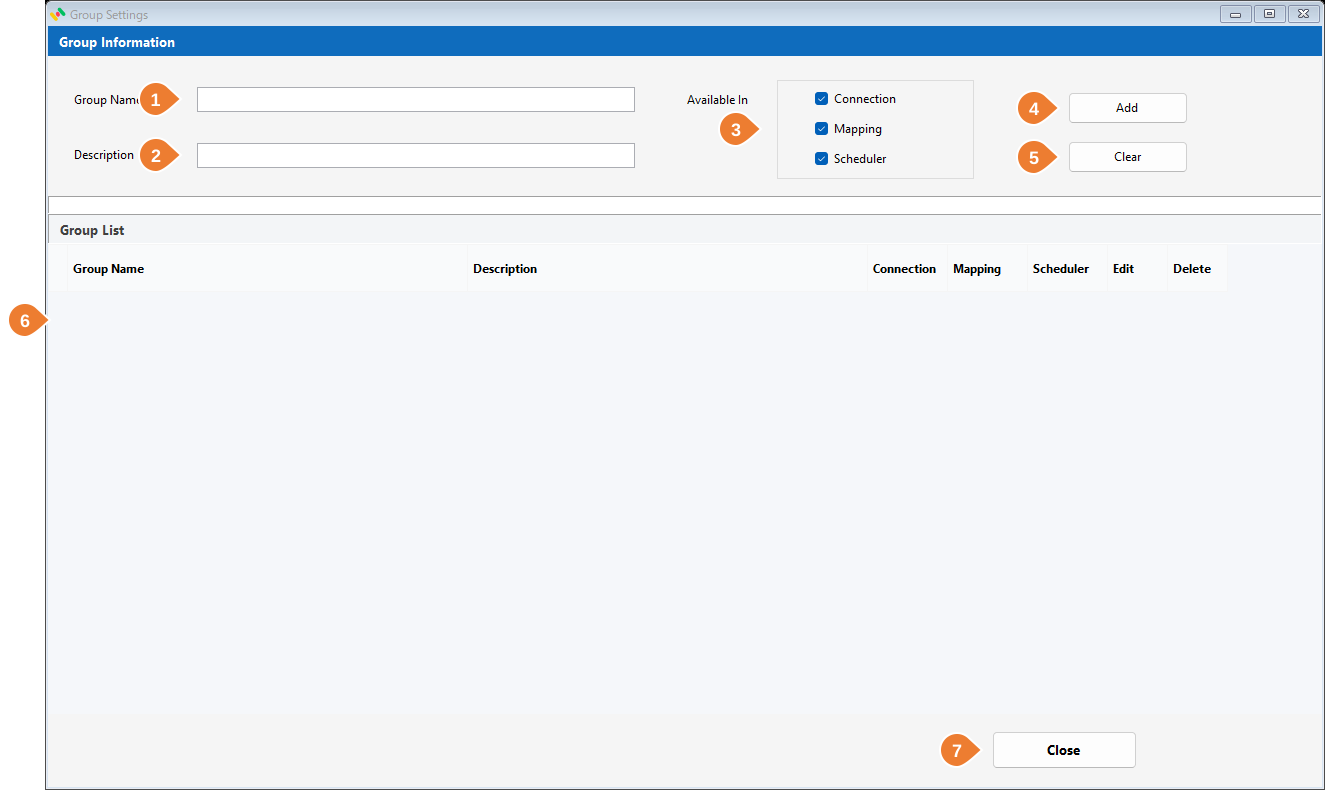
| No | Item | Description |
|---|---|---|
| 1 | Group Name | Enter a descriptive group name. |
| 2 | Description | Describe its purpose or target system. |
| 3 | Available In | Select Connection, Mapping, and/or Scheduler to make the group available in those forms. |
| 4 | Add / Update | Create a group, or update one loaded through its edit icon. |
| 5 | Clear | Clear the entry form. |
| 6 | Group List | Review groups and their availability. Use Edit to load a group and Delete to remove an unused one. A group in use cannot be deleted. |
| 7 | Close | Close the form. |